
How the visible platform routes fit together
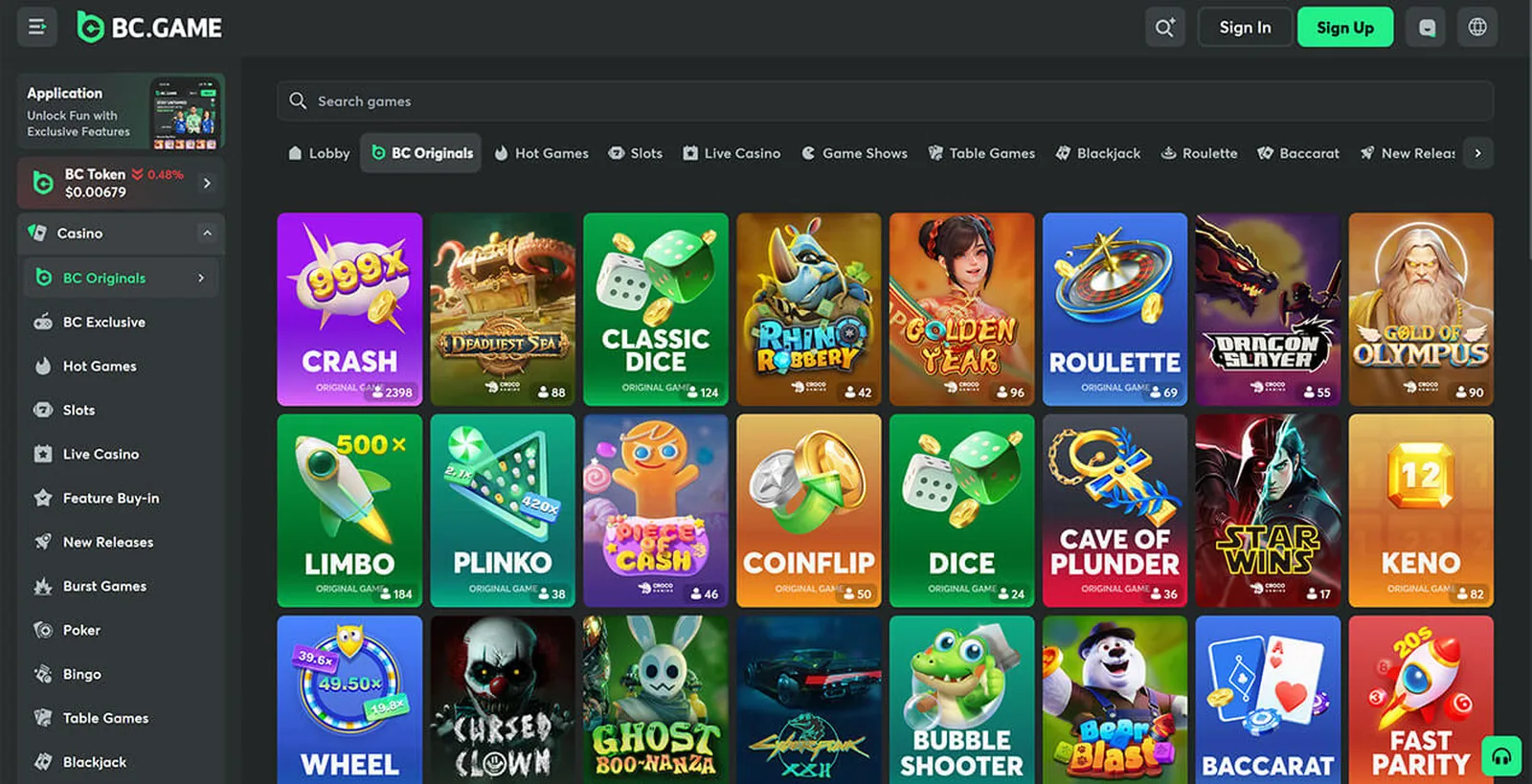
The editorial screenshot above shows one time-specific view of the BC.GAME Originals lobby rather than a complete product map. The wider public menu also separates conventional Casino and Sports routes. Safety is not a fourth product family; it runs across those routes and asks different questions: Is the destination the intended domain? Is an application publisher identifiable? Can an active session be revoked? Does a technical report name the game, version and date that it covers?
Keeping those routes separate also keeps the guide practical. This section explains where each subject belongs. The Mobile guide handles domains, publisher listings, permissions and versions. The Security guide covers passwords, recovery, sessions, phishing and the limited result of a record check.
BC Originals
The checked menu included Crash, Plinko, Limbo, Mines and Keno under the Originals route. Crash shows a value moving towards a stop point. Limbo turns a similar comparison into a threshold. Plinko uses a route through pegs; Mines reveals cells in a grid; Keno compares selected positions with a later set of numbers.
Those differences are enough to explain how each format presents a round. They do not predict what will happen next. To check one recorded result, supporting material would need the game version, the inputs, an earlier commitment, the later disclosure and the calculation used for that version. The Originals mechanics guide shows that sequence without presenting a strategy.
Casino categories
The casino menu uses category labels such as slots, live dealer, table games and game shows. Slots commonly use reels or grids with title-specific features. Live dealer adds video, a table procedure and a cut-off for joining a round. Digital tables render cards, dice or wheel rules in software. Game shows place a defined chance event inside a more theatrical presentation.
A category name does not replace the rules for a particular title. Useful rules identify the game and version, objective, result definition, feature conditions, round start, cut-off, interruption handling and correction procedure. The casino category comparison puts those checks beside the labels found on the BC.GAME page.
Sports and cricket
The sports publication checked on 13 July 2026 used cricket, football, tennis, basketball and esports labels. Beneath the sport name, information is normally arranged as competition, match, period and event. Cricket adds terms such as innings and over; football uses halves, tennis uses sets and games, and esports may use maps or rounds.
Pre-match and live describe when information is shown, not whether it is simultaneous with the action. An event has to be captured, passed through a supplier and displayed by the interface. Written rules then decide how a delay or correction is handled. The sports and cricket guide explains these layers without prices, forecasts or a schedule feed.
Mobile presentation
BC.GAME’s compact category navigation is suited to narrow screens, but presentation does not identify the source of an app or installed web shortcut. A mobile browser should expose the complete registered domain. A PWA should lead back to its web origin. A native-app claim needs a named publisher, a trustworthy listing or signed package, a dated version history and permissions that make sense for the stated function.
The mobile access guide compares those three contexts. Passwords, recovery mailboxes, active sessions and incident response are handled separately in the account-security guide.